
Deal Screening
SESAMm’s Deal Screening AI Report helps private equity and M&A teams quickly uncover hidden risks, growth signals, and market dynamics on any company. This AI-generated report supports early screening, prioritization, and go/no-go decisions.
What is the Deal Screening Report?
The Deal Screening Report is an automated, AI-generated overview of a company. To create the report, our AI scans millions of documents from global news, industry sources, employment sites, reviews, blogs, filings, and more. The goal is to support deal teams early in the diligence cycle, helping them focus attention efficiently, reduce low-value work, and identify red flags sooner.
The Deal Screening Report can be used:
- Pre-CIM to shape hypotheses and highlight potential deal risks
- During early diligence calls to challenge or validate CIM claims
- As ongoing monitoring to track sentiment, risk exposure, and new developments
- For screening inbound opportunities to quickly eliminate weak targets
- For consultant direction to point expert networks toward the right topics
The report includes structured sections including:
- Overall Assessment
- Company summary
- Key trends
- Top risks and findings
- Market & industry insights
- Key competitive insights
- Company Overview
- Company profile
- Recent news and trending events
- Customer reviews
- Employee reviews
- Company Risk Analysis
- Legal risks
- Governance risks
- Human rights and labor rights
- Market integrity risks
- Environmental & social risks
- Company Disclosures & Compliance
- Controversial activities
- Known exclusions and sanctions
- Frameworks & norms screening
- Market Overview
- Market scope and boundaries
- Trends and demand drivers
- Customer dynamics
- Industry & Regulatory Risks
- Industry risks
- Regulatory risks
- Competitive Analysis
- Competitor profiles
- Risk by company
- Strengths & weaknesses
- Customer and employee sentiment
Each section includes links to source documents for transparency.
How to Request a Deal Screening Report
You can generate a report directly in the platform.
Step 1:
Enter the email address where you’d like us to send the report.
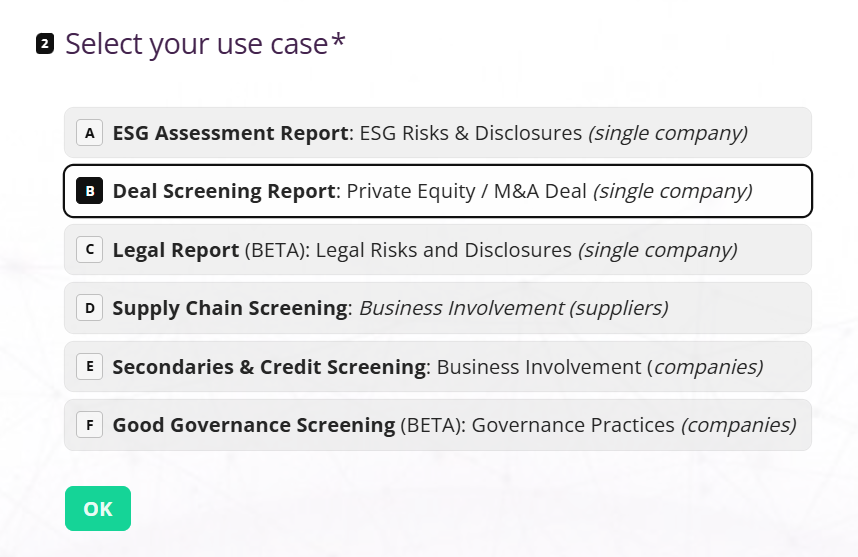
Step 2:
Select “Deal Screening Report” from the AI Reports menu.
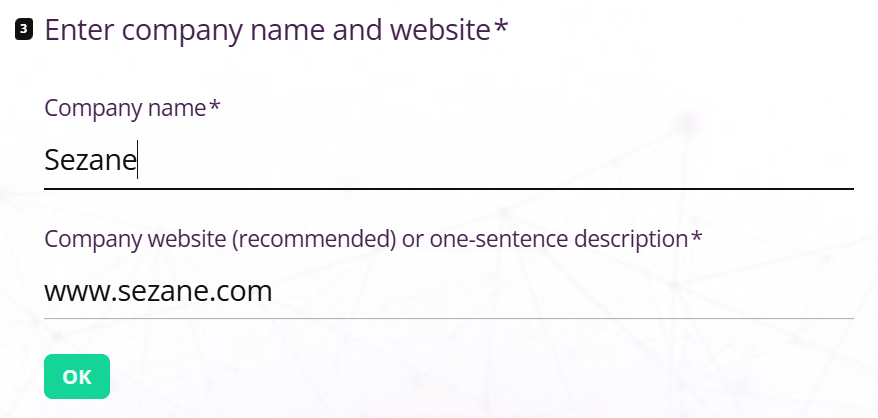
Step 3:
Enter the company name and either its website or a one-sentence description.
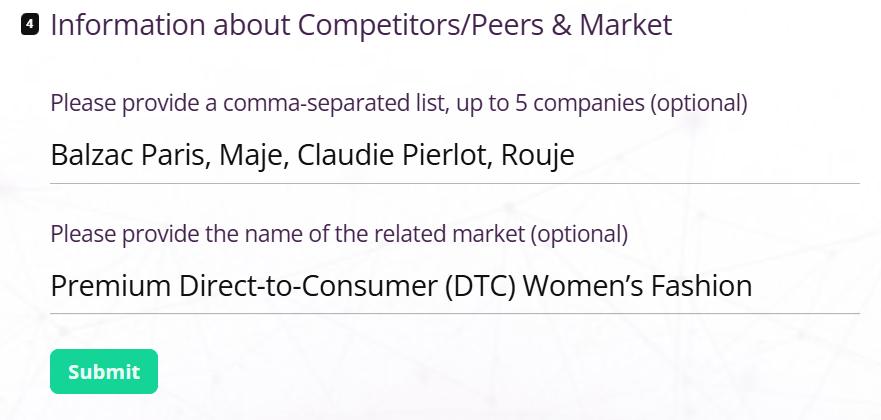
Step 4:
You can now enter any competitor or market information you’d like the AI to consider. Simply list competitor names separated by commas. If you prefer not to add anything, the AI will select appropriate competitors for you.
Step 5.
Click Submit
The report is automatically processed and sent to your inbox within approximately 30 minutes.